
Mobile App Authentication in 2026: OTP vs Social Login vs Passkeys vs SSO


12 October, 2026
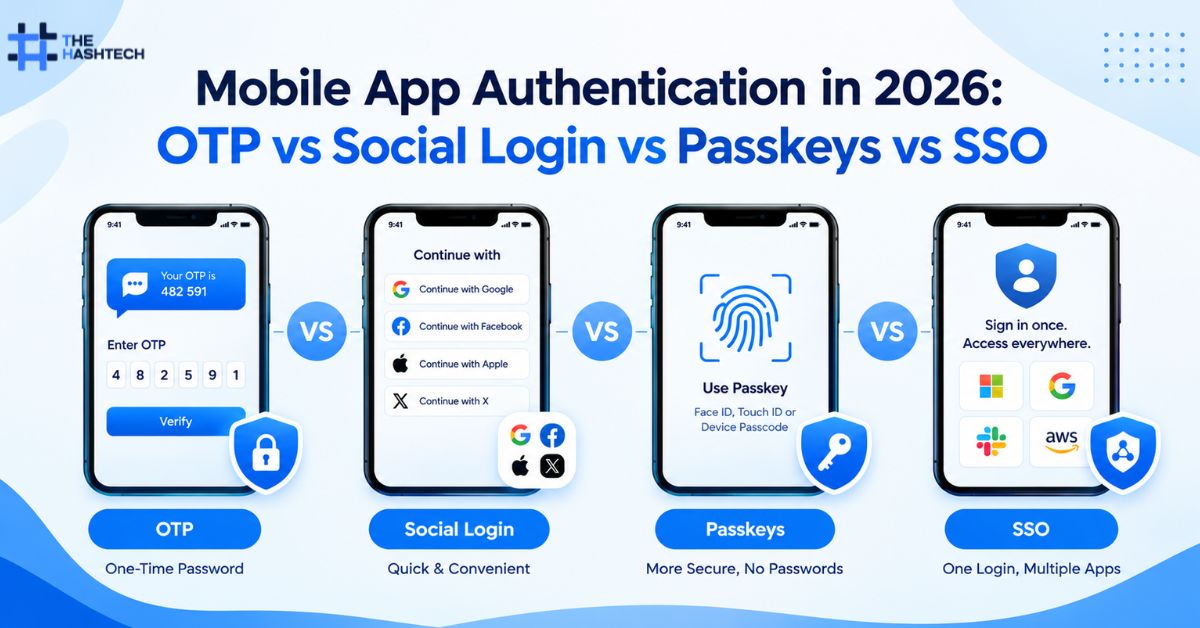
Mobile app authentication is the process of verifying a user’s identity before granting access to an application or account. In 2026, businesses can choose from several authentication methods, including one-time passwords (OTP), social login, passkeys, and single sign-on (SSO). The best option depends on the app’s security requirements, target audience, sign-in experience, account recovery process, and the sensitivity of the data it protects.
For startups, e-commerce platforms, fintech products, healthcare applications, and enterprise software, authentication is more than a login screen. It is a core part of the product’s security architecture and user experience.
What Is Mobile App Authentication?
Mobile app authentication verifies that a person attempting to access an application is the legitimate account holder or an authorized user. Depending on the implementation, the user may prove their identity through a phone number, an external identity provider, a cryptographic passkey, or an organization-managed account.
Authentication is different from authorization. Authentication establishes who the user is, while authorization determines what that user is permitted to access.
For example, an employee may authenticate successfully using a company identity account but still be denied access to financial records because their assigned role does not permit it.
A complete authentication system typically includes:
- Sign-up and account verification.
- Login and identity verification.
- Secure session and token management.
- Multi-factor authentication (MFA), where required.
- Password, phone, or credential recovery.
- Device and session management.
- Protection against automated login attacks.
- Monitoring, alerts, and suspicious-activity handling.
When planning mobile app authentication, businesses should evaluate this complete lifecycle rather than choosing a method based only on how quickly users can sign in. These decisions are also part of selecting the right mobile app development services for a product’s technical and business requirements.
OTP vs Social Login vs Passkeys vs SSO: Quick Comparison
Each method solves a slightly different problem. OTP relies on a temporary code, social login uses an external identity provider, passkeys use cryptographic credentials, and SSO lets users access multiple connected applications through one identity system.
| Factor | OTP | Social login | Passkeys | SSO |
| How it works | User enters a temporary code | User authenticates through an external provider | User approves a cryptographic sign-in | User signs in through a central identity provider |
| Typical user experience | Enter a code from SMS, email, or an authenticator | Select a provider and approve access | Use device biometrics, PIN, or another supported unlock method | Sign in once to access connected services |
| Phishing resistance | Generally not phishing-resistant | Depends on the provider and flow | Designed to be phishing-resistant | Depends on the protocol and identity-provider configuration |
| Main advantage | Familiar and useful for verification | Reduces manual sign-up and login steps | Strong security with convenient sign-in | Centralized identity and access management |
| Main challenge | Delivery delays, interception, and code-entry friction | Provider dependency and account-linking risks | Credential recovery and implementation complexity | More setup and identity-management overhead |
| Best suited for | Phone verification and additional checks | Consumer apps and low-friction onboarding | Consumer apps and security-conscious products | Enterprise and workforce applications |
Quick recommendation: Passkeys are a strong choice for passwordless sign-in where platform support and recovery are handled properly. OTP remains useful for verification and selected fallback flows. Social login can simplify consumer onboarding, while SSO is often the better fit for organizations managing access across multiple business applications.
These methods are not always mutually exclusive. A well-designed app may combine passkeys, an identity provider, and step-up verification for sensitive actions.
1. OTP Authentication: How Does It Work?
One-time password authentication uses a temporary code to verify a user. The code may arrive through SMS or email, or it may be generated by an authenticator application.
For example, a user enters their phone number, receives a six-digit code, and submits it to complete sign-in. The server checks whether the code is valid, associated with the correct account, and still within its permitted lifetime.
OTP is popular because users understand the process and may not need to create or remember a conventional password.
Types of OTP authentication
SMS OTP: A temporary code is sent to a registered phone number. It is familiar to many users but can be affected by SIM swapping, phone-number takeover, message interception, and delivery failures.
Email OTP: A code is delivered to the user’s email address. It can be convenient, but its security depends partly on the protection of that email account.
Authenticator-app OTP: An authenticator app generates time-based codes. This avoids dependence on SMS delivery, although manually entered codes can still be phished.
Advantages of OTP
- Familiar sign-in process for many users.
- Useful for verifying a phone number or email address.
- Can support account recovery and additional verification.
- Does not require users to create another password.
- Can be integrated into existing login systems.
Disadvantages of OTP
OTP can introduce friction when messages arrive late, users change phone numbers, or they cannot access their email. SMS delivery may also create recurring costs as an application grows.
Security is another consideration. A valid OTP can be stolen through phishing or social engineering, and attackers may abuse repeated code requests or verification attempts if rate limits are weak.
How should developers secure OTP?
A secure OTP implementation should:
- Use cryptographically secure code generation.
- Apply a short expiry period.
- Accept each code only once.
- Limit verification attempts and resend requests.
- Invalidate a code after successful verification.
- Avoid logging codes or storing them in long-term plaintext form.
- Monitor suspicious patterns such as repeated requests from the same device or network.
- Protect account recovery from becoming an easier route for attackers.
When should you choose OTP?
OTP is useful when an application needs to verify a phone number, confirm control of an email address, or provide an additional verification step. It may be suitable for delivery apps, booking platforms, customer portals, and services where users expect a familiar login flow.
However, SMS OTP should not automatically be treated as the strongest available authentication method. For high-risk accounts, consider phishing-resistant authentication and stronger controls for account recovery and sensitive operations.
2. Social Login: Is Signing In With Google or Apple a Good Idea?
Social login allows users to authenticate through an external identity provider instead of creating a separate account credential for the application. Common examples include signing in with Google or Apple.
In a typical flow, the user selects a provider, authenticates with that provider, and approves the requested access. The mobile app receives an identity response or token, which its backend validates before establishing an application session.
The external provider handles its own authentication process, but the mobile app remains responsible for deciding which account to associate with the verified identity.
Advantages of social login
Faster onboarding: Users may not need to create a new password or manually complete as many registration fields.
Fewer credentials to manage: People can use an identity account they already maintain.
Established identity infrastructure: Developers can integrate with providers that support standardized authentication protocols.
Potentially lower password-reset burden: The app may not need to maintain a separate password for users who exclusively sign in through an external provider.
Disadvantages of social login
Social login creates a dependency on external identity providers. A provider outage, policy change, or account-access issue can affect sign-in.
It also introduces account-linking risks. A mobile app should never combine two accounts simply because their email addresses look similar unless the identity and linking process is securely verified.
Another consideration is privacy. Developers should request only the information needed for the app’s functionality and explain how identity information will be used.
Security considerations for social login
Developers should use the provider’s supported mobile authentication flow, validate tokens on the backend, verify issuer and audience values, and handle redirect URIs securely.
They should also consider token expiry, account linking, session revocation, and the consequences of a user losing access to the external identity account.
Social login does not automatically provide multi-factor authentication for the mobile app. The app should understand the provider’s guarantees and determine whether additional verification is needed for sensitive actions.
When is social login the right choice?
Social login can be a good fit for consumer applications where easy onboarding is important, such as lifestyle products, content platforms, shopping apps, and selected booking services.
For applications serving different audiences, it may be best offered alongside another login method. A customer who does not want to use a social account should still have a practical way to register and sign in.
3. Passkeys: A Strong Passwordless Authentication Option in 2026
Passkeys are authentication credentials based on public-key cryptography. Rather than typing a password or manually entering a code, users approve a sign-in through a supported device or credential manager, often using a fingerprint, facial recognition, or device PIN.
A passkey creates a cryptographic relationship between a credential and the service for which it was registered. The service stores a public key, while the corresponding private key is held by the user’s authenticator or credential provider.
This design helps protect against phishing because a passkey is bound to the legitimate service’s identity. A fraudulent site cannot simply collect and replay the passkey in the way it can collect a password or a manually entered code.
How do passkeys work in a mobile app?
A simplified passkey flow looks like this:
- The user creates an account or opens security settings.
- The application requests passkey registration through the appropriate platform APIs.
- The user’s device or credential provider creates a credential.
- The backend stores the credential’s public-key information and associated account details.
- At sign-in, the backend generates a challenge.
- The user’s authenticator signs the challenge after the user approves the request.
- The backend verifies the response and establishes a session.
The exact implementation differs across platforms and depends on supported APIs, identity architecture, and credential-management behavior. For apps built specifically for Apple’s platforms, developers should consider the requirements and capabilities of iOS app development when implementing passkeys, device authentication, and platform-specific security features.
Advantages of passkeys
- Strong resistance to phishing and credential stuffing.
- No conventional password to remember or reuse.
- Fast sign-in through supported device authentication.
- Public-key credentials reduce the value of a stolen server-side credential database.
- Support across major platforms and credential providers.
What are the limitations of passkeys?
Passkeys still require careful implementation. Businesses must account for users who lose devices, cannot access a credential provider, use shared devices, or need to sign in on a new platform.
Credential recovery deserves particular attention. If an attacker can take over an account simply by exploiting a weak phone-based recovery flow, the overall system may remain vulnerable even if its primary login method is strong.
Organizations also need to test registration, authentication, credential deletion, account recovery, device changes, and support procedures.
Are passkeys better than OTP?
For phishing resistance, passkeys generally offer a stronger design than manually entered OTP codes. Manually entered OTPs are not phishing-resistant because the code is not cryptographically bound to the specific session being authenticated.
However, the best choice still depends on the user journey. OTP can be helpful for verifying contact information or supporting certain recovery flows. Passkeys are particularly attractive as a primary sign-in method for applications that can provide reliable credential registration and recovery.
When should a business choose passkeys?
Passkeys are worth considering for e-commerce, subscription services, productivity apps, financial services, and other products where account takeover would create meaningful risk.
For higher-risk services, a passkey should be part of a broader security strategy that includes appropriate authorization, transaction confirmation, session management, fraud monitoring, and recovery controls.
4. SSO: What Is Single Sign-On and Who Needs It?
Single sign-on allows users to authenticate through a central identity provider and access multiple connected applications without independently signing in to each one.
For example, a company may use a central identity platform for employee access to its mobile workforce app, internal dashboard, reporting system, and other approved business tools.
SSO is commonly implemented through standards and protocols such as OpenID Connect (OIDC) and Security Assertion Markup Language (SAML), depending on the identity provider and application architecture.
How does SSO work?
A user opens an application and is redirected to, or otherwise interacts with, the organization’s identity provider. After the identity provider authenticates the user, it returns a trusted response through the configured protocol.
The application validates that response and creates its own session or tokens. Access is then governed by the application’s authorization rules and the organization’s identity policies.
SSO does not mean that every connected app should share one unrestricted session token. Each application must validate identity responses correctly and enforce its own access permissions.
Advantages of SSO
- Centralized identity administration.
- Easier employee onboarding and offboarding.
- Consistent authentication policies across applications.
- Support for organization-managed MFA and access controls.
- Reduced repeated sign-in for users working across approved systems.
Disadvantages of SSO
SSO requires more identity configuration than a simple OTP flow. Integration, user provisioning, role mapping, and testing may add implementation work.
It can also create a larger operational impact if the central identity provider becomes unavailable or an identity account is compromised. Strong protection of privileged accounts, appropriate MFA, monitoring, and contingency planning are therefore important.
When should you choose SSO?
SSO is often the right choice for enterprise applications, employee portals, business-to-business products, and organizations that already manage identities through a central provider.
For a consumer shopping app, SSO may be unnecessary unless users need to connect through a company or institution. For a corporate application, however, it can simplify administration and align mobile access with existing security policies.
5. Which Authentication Method Is the Most Secure?
There is no single method that is best for every context, but the differences in phishing resistance are important.
Passkeys are designed to resist phishing through cryptographic credentials bound to the legitimate service. Manually entered OTP codes are not phishing-resistant. Social login inherits important security properties from its identity provider, but the app must still implement its authentication flow correctly. SSO centralizes identity management, but its overall security depends on the identity provider, protocol configuration, account policies, and connected applications.
| Security requirement | Strong option to evaluate | Additional controls needed |
| Phishing-resistant consumer sign-in | Passkeys | Secure recovery and session management |
| Phone-number verification | SMS OTP, where appropriate | Rate limits, expiry, anti-abuse controls |
| Convenient consumer onboarding | Social login or passkeys | Secure provider validation and account linking |
| Centralized employee identity | SSO with an enterprise identity provider | MFA, lifecycle management, authorization |
| Protection for high-risk actions | Passkeys or suitable step-up authentication | Transaction checks, risk monitoring, audit logs |
| Account recovery | A carefully designed recovery process | Identity verification and anti-takeover protections |
A secure login method does not compensate for poor session management. After authentication, the app must protect session tokens, validate permissions, revoke sessions when necessary, and handle lost or stolen devices appropriately.
6. Can You Combine OTP, Social Login, Passkeys, and SSO?
Yes. These approaches serve different roles and can coexist in one application.
For example, a consumer app could offer passkeys as the preferred login method, social login as an optional alternative, and OTP to verify a phone number when the business needs that verification. A separate administrative portal could use enterprise SSO.
The important principle is to avoid adding methods without considering their security implications. Every additional login and recovery path expands the system that must be tested and protected.
A practical authentication design should answer three questions:
- What methods can users use to establish their identity?
- What level of assurance is needed for each type of action?
- How can users recover access without creating an easier path for attackers?
For instance, signing in to view a product catalog may require less friction than changing a bank account, transferring money, or modifying an administrator’s permissions.
Sensitive actions may require step-up verification even when the user already has an active session.
7. How to Choose the Right Authentication Method for Your App
Use this decision process before selecting an authentication architecture.
Step 1: Identify your users
Determine whether your application serves consumers, employees, business customers, or a combination. Consumer apps often prioritize simple onboarding, while enterprise apps may need centralized identity and access management.
Step 2: Assess the risk of account takeover
Consider the data users can access and what an attacker could do with a compromised account. Financial transactions, healthcare records, administrative controls, and sensitive personal information may require stronger authentication and additional safeguards.
Step 3: Choose the primary sign-in experience
Evaluate passkeys for passwordless sign-in, social login for supported consumer journeys, OTP for contact verification or selected fallback needs, and SSO for organization-managed identities.
The chosen method should fit the users’ devices, accessibility needs, technical environment, and expected behavior.
Step 4: Design recovery before launch
Decide how users will regain access after losing a phone, changing an email address, or losing access to an identity provider. Recovery should not be significantly weaker than normal authentication.
Step 5: Secure sessions and APIs
Implement appropriate session expiry, refresh-token rotation where applicable, token revocation, secure local storage, and backend authorization. Avoid placing long-lived secrets in insecure storage or trusting client-side checks alone.
Step 6: Test realistic attack scenarios
Test OTP brute-force attempts, repeated code requests, social-account linking, invalid tokens, expired sessions, device loss, and account recovery. Verify that security controls work without unnecessarily blocking legitimate users.
Step 7: Monitor and improve
After launch, review failed login patterns, suspicious activity, account recovery events, user drop-off, and support requests. Authentication should evolve as the product, threat landscape, and user behavior change.
8. Common Mobile Authentication Mistakes to Avoid
Treating SMS OTP as complete account security
SMS verification can confirm access to a phone number, but it is not a universal defense against phishing, social engineering, or phone-number takeover. Use it according to the risk it actually addresses.
Implementing passkeys without secure recovery
Passkeys can strengthen primary sign-in, but a weak recovery mechanism may undermine the benefit. Design and test recovery as part of the original implementation.
Trusting social-login tokens without validation
A client-side sign-in response is not enough by itself. The backend must validate the relevant token or identity response and check the expected issuer, audience, expiry, and other required claims.
Using SSO without access lifecycle controls
Centralized authentication does not automatically remove a former employee’s access from every application. User provisioning, deprovisioning, role mapping, and session revocation must be considered.
Ignoring authorization
A user who has successfully signed in should not automatically be able to access every record or operation. Enforce permissions on the backend for each protected resource and action.
Overlooking usability and accessibility
Complex authentication can increase abandonment and support costs. Test the process with real users and devices, provide understandable error messages, and make recovery accessible without weakening security.
9. How The Hashtech Can Help Build Secure Mobile Authentication
The Hashtech provides mobile app, web, AI, game, blockchain, and custom software development services. For businesses planning a new application or upgrading an existing one, authentication should be designed around the product’s user journeys, risk profile, and technical architecture.
A suitable implementation may involve OTP verification, social identity providers, passkeys, enterprise SSO, or a combination of methods. The decision should account for account recovery, backend validation, session security, permissions, monitoring, and the experience across supported devices.
Before development begins, define the authentication requirements, identify the sensitive actions in the app, and agree on how identity providers and recovery mechanisms will be tested. Reviewing relevant mobile app development projects can also help businesses evaluate a development partner’s experience and approach to delivering digital products.
The goal is to deliver an authentication experience that users can understand and use confidently while giving the business a practical foundation for security and future growth.
Final Thoughts
Mobile app authentication in 2026 is about balancing security, usability, recovery, and operational complexity. OTP remains useful for verification and selected fallback scenarios. Social login can reduce onboarding friction, passkeys provide a modern phishing-resistant sign-in option, and SSO is particularly valuable for organizations managing access across multiple applications.
The right approach depends on the product’s users, data, and risks. Rather than selecting a method simply because it is popular, businesses should evaluate the full authentication lifecycle, including session management, authorization, recovery, and monitoring.
For many products, a carefully designed combination of methods will work better than relying on a single login option. A secure implementation should make legitimate access straightforward while making account takeover difficult.
Frequently Asked Questions
1. What is the best mobile app authentication method in 2026?
Passkeys are a strong option for passwordless sign-in because their cryptographic design provides phishing resistance. However, OTP, social login, and SSO remain useful for different needs. The best choice depends on the application’s risk, audience, identity requirements, and recovery process.
2. Is OTP authentication safe for mobile apps?
OTP can be useful when implemented with short expiry times, single-use codes, strict attempt limits, and secure verification. SMS and manually entered codes can still be vulnerable to phishing or social engineering, so OTP should not be treated as a complete security solution for every application.
3. Are passkeys safer than OTP?
Passkeys are designed to resist phishing because the cryptographic credential is bound to the legitimate service. Manually entered OTP codes are not phishing-resistant. Passkeys still need secure registration, session handling, and account recovery to provide effective protection.
4. What is the difference between social login and SSO?
Social login lets a user authenticate through an external identity provider, such as Google or Apple, often for a consumer application. SSO allows a user to access multiple connected applications through a centralized identity system, commonly managed by an organization.
5. Can a mobile app support both passkeys and OTP?
Yes. An application can use passkeys as a primary sign-in method and OTP for selected verification or fallback scenarios. The implementation must ensure that the fallback and recovery routes do not create weaker access paths that undermine the main authentication method.