Arabic App Development: RTL Design, Cost, and Common Mistakes


16 October, 2026
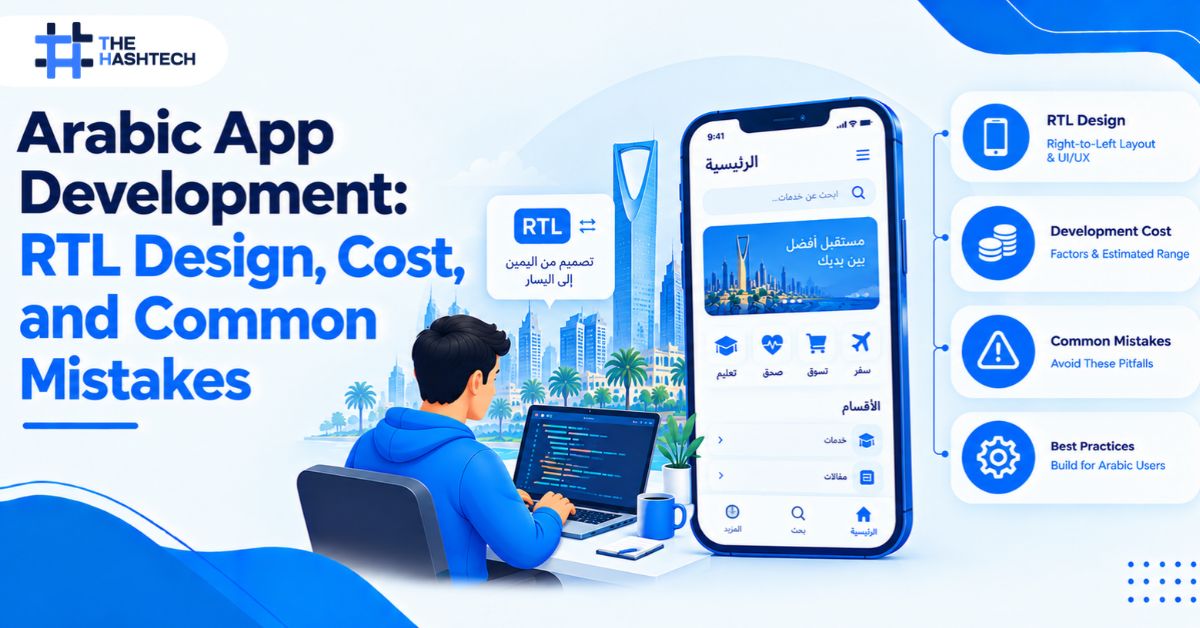
Open an Arabic version built by an English-first team, and you can usually tell within a minute. Icons point the wrong way. Text looks cramped. Dates and numbers feel off. The app displays Arabic, but it does not feel Arabic.
Arabic app development means building the whole experience for right-to-left (RTL) reading, not just translating the words. Published estimates say RTL adds roughly 15–25% to front-end effort, and full localization can lift total cost by 40–60%. The most expensive path is the common one: adding Arabic at the end.
This guide explains how RTL works in practice, what it costs, and the mistakes that cause rework.
What Is Arabic App Development and RTL Design?
Arabic app development is the process of designing and building an app for Arabic-speaking users. It includes right-to-left (RTL) layouts, Arabic typography, localized numbers and dates, culturally appropriate content, and testing with real Arabic text. RTL is the layout direction. Localization is the wider work around it.
Arabic reads from right to left. So the whole interface flips: navigation, lists, progress bars, form fields, and swipe gestures. A proper build treats this as an architecture decision, not a language file.
Why Arabic-First Matters in Saudi Arabia
Arabic is the main language of everyday life in the Kingdom. Banking, government, education, retail, and healthcare apps all serve users who expect to read, type, and pay in Arabic. Many of them also switch between English and Arabic in one session.
An app that handles both smoothly earns trust. An app that struggles with either one loses users quickly. Saudi buyers also compare your app with polished local competitors. That makes Arabic-first design a product decision, not a localization afterthought.
Why Translation Alone Is Not Enough
Translation changes the words. Arabic-first design changes the structure. A translated English layout breaks in small, visible ways. Buttons overflow. Labels sit on the wrong side of fields. Back arrows point away from the previous screen.
Saudi users notice these details. A poorly localized app signals low standards, and it hurts trust and adoption. That matters in a market where users compare your app with polished local products.
If you are planning a launch in the Kingdom, work with a mobile app development company in Saudi Arabia that designs Arabic-first from the first wireframe. Retrofitting later is where budgets grow.
How RTL Works in a Real App
RTL is more than flipping the screen. Developers need clear rules about what mirrors and what does not.
What Should Mirror
- Navigation order, tab bars, and menus
- Back arrows, chevrons, and “next” icons
- Lists, cards, and table columns
- Progress bars and sliders
- Swipe gestures, such as swipe-to-go-back
What Should Not Mirror
- Brand logos
- Media controls, such as play buttons and timelines
- Phone icons, clocks, and checkmarks
- Photos and illustrations
- Phone numbers, codes, and Latin brand names inside Arabic text
Get this wrong, and users feel it at once. A mirrored logo looks broken. An un-mirrored back arrow feels like a bug.
Use “Start” and “End,” Not “Left” and “Right”
This is the most important coding rule. Every layout should use start and end (or leading and trailing), not left and right. Then the same code adapts to both directions without extra work.
Hard-coded left and right values are the number-one reason RTL fixes become expensive later.
Typography, Numbers, and Dates
Arabic text needs more care than most teams expect.
Fonts. Choose fonts with strong Arabic support and proper letter shaping. Arabic letters join, and the shape changes by position in the word.
Letter spacing. Do not add it. Extra spacing breaks the joins between letters and makes text hard to read.
Line height. Arabic characters have taller and lower strokes than Latin letters. Fixed-height buttons and tight line heights clip the text. Leave more room.
Numerals. Apps can show Western digits (0–9) or Eastern Arabic-Indic digits (٠–٩). Pick one based on your audience, and stay consistent across the whole app.
Dates. Many Saudi apps need the Hijri calendar next to the Gregorian one. Government, education, and finance products often do. Decide this in planning.
Mixed Arabic and English Text
Real content mixes both languages. A sentence may include an English brand name, a phone number, or a product code. These “bidirectional” strings are a common source of bugs. Punctuation jumps to the wrong side. Numbers appear in the wrong order.
Test with real mixed content, not clean sample text. Store each string with its direction in mind, and wrap embedded Latin text correctly.
How Each Framework Handles RTL
| Platform | How RTL works | What to watch |
| Android (native) | Enable RTL support in the manifest and use start/end attributes | Hard-coded left/right values |
| iOS (native) | Use leading/trailing constraints and semantic content attributes | Custom views that ignore direction |
| Flutter | Directional widgets and directional padding adapt to locale | Mixing directional and fixed values |
| React Native | RTL can be enabled and forced in code | Language switches often need an app reload |
Each platform supports RTL well. The problems come from custom components that ignore the direction rules. That is why a team needs a clear RTL standard before development begins.
Bilingual apps are especially common in retail, hospitality, and logistics. Our mobile app development company in Jeddah team builds these Arabic-English apps with the language switch planned from day one.
Arabic Content, Tone, and Dialect
UI copy usually follows Modern Standard Arabic, which every Arabic-speaking user understands. Marketing and onboarding copy may use a lighter, regional tone. Choose a voice early and keep it consistent.
Avoid machine translation for buttons, errors, and legal text. Small wording errors can change the meaning. Ask a native writer to review the full flow, including empty states and error messages.
Arabic App Development RTL Cost: What Published Estimates Say
Sources define “Arabic support” in different ways. So their numbers differ. Here is what published guides report.
| What is estimated | Published figure | Source |
| RTL implementation (development time) | +15–25% | JPLoft |
| RTL support (front-end effort) | +15–25% | Logiolegion |
| RTL implementation (share of original dev cost) | 25–35% | Appinventiv |
| UI/UX redesign and testing for Arabic | +20–25% | Appinventiv |
| Overall localization impact on total cost | +40–60% | Markup Designs |
| Arabic cultural adaptation (medium app) | SAR 15,000–30,000 | JPLoft |
| Arabic translation | SAR 7,500–15,000 (1–2 weeks) | JPLoft |
| Translation rate | $0.12–0.20 per word | Appinventiv |
| Proper Saudi localization vs English-only | +SAR 50,000–130,000 | Decipher Zone |
| Retrofitting Arabic into an English-first build | +SAR 40,000–80,000 | Logiolegion |
Why the spread? Some figures cover only the code that flips the layout. Others include design rework, QA, content, and translation. Always ask a vendor which of these their quote includes.
What This Means for Your Budget
Here is simple math, not a quote. If an English-only build costs SAR 150,000, the published percentages suggest Arabic-first work could add roughly SAR 22,500 to SAR 52,500 (15–35%). Designing for Arabic from the start keeps you near the lower end.
The retrofit figures show the other side. Adding Arabic late costs SAR 40,000–80,000 more, and it delivers no new features. It only fixes earlier decisions.
Education platforms feel this strongly because they combine Arabic content, multiple user roles, and government systems. We break down those numbers in our guide to education app development cost in Saudi Arabia.
8 Common Arabic App Development Mistakes
- Treating Arabic as a final translation step. This is the most common mistake. Plan RTL in discovery, not in the last sprint.
- Hard-coding left and right. Use start and end everywhere so the layout adapts automatically.
- Mirroring everything. Logos, media controls, and photos should stay as they are. Mirror only what carries direction.
- Skipping mirrored icons. Back arrows, chevrons, and progress indicators must flip. Missing even a few makes the app feel foreign.
- Using fixed-size containers. Arabic text needs more height. Fixed buttons and tight lines clip the letters.
- Adding letter spacing. It breaks the joins between Arabic letters. Remove it from Arabic text styles.
- Testing only with placeholder text. Real names, long strings, and mixed Arabic-English content expose bugs that clean samples hide.
- Forgetting everything outside the app screens. Push notifications, emails, receipts, error messages, and store listings all need Arabic too.
How to Test an Arabic App Properly
Arabic QA is its own discipline. Use this checklist before launch.
- Test every screen in both directions on real devices
- Switch languages mid-session and confirm nothing breaks
- Use real Arabic content, including long names and mixed text
- Check numerals and dates on every screen
- Verify keyboard input, including Arabic and English together
- Review notifications, emails, and error messages in Arabic
- Test with screen readers in Arabic
- Have Arabic-speaking testers review wording and tone, not just layout
Dedicated Arabic-speaking QA, running in parallel with development, shortens timelines. Native speakers catch awkward wording that automated tests miss.
My Process for Arabic-First Builds
Here is the order I follow on Saudi projects.
- Discovery. Decide languages, numerals, calendars, and tone before design starts.
- Design. Create Arabic and English layouts together, not one after the other.
- Development. Use start/end rules and a shared component library from the first sprint.
- QA. Test both directions every sprint, with native Arabic reviewers.
- Launch. Localize the store listing, notifications, and support content.
Government and financial products in the capital add another layer, because they combine Arabic UX with strict compliance. Our mobile app development company in Riyadh team plans both together, so Arabic-first design and compliance work do not collide late in the project.
Final Thoughts
Good Arabic app development is mostly about timing. The same RTL work costs far less when you plan it at the start. It costs far more when you retrofit it after launch.
Treat Arabic as a core requirement. Choose start and end over left and right. Test with real Arabic content and native speakers. Budget for the full scope, including design, QA, content, and the screens outside your app.
Do this, and your app will feel natural to Arabic-speaking users instead of merely translated for them.
Frequently Asked Questions
What is RTL in app development?
RTL stands for right-to-left. It is the layout direction used for Arabic. In an RTL app, navigation, lists, forms, and gestures mirror so the interface follows the reading direction.
How much does Arabic app development RTL support cost?
Published estimates put RTL implementation at roughly 15–25% of development effort, and some put it higher at 25–35% of the original development cost. Full localization, including design, QA, and content, can lift total cost by 40–60%.
Is Arabic localization the same as translation?
No. Translation converts text. Localization also covers RTL layouts, typography, numerals, dates, cultural tone, and testing. A translated app that skips these still feels foreign to Arabic users.
How much does it cost to add Arabic to an existing app?
Retrofitting costs more than planning for Arabic from the start. One Saudi guide estimates SAR 40,000–80,000 more than designing Arabic-first. The exact figure depends on how many screens and components you must rework.
Which platform is best for Arabic apps: native or cross-platform?
Both work. Android, iOS, Flutter, and React Native all support RTL. The quality depends on how carefully the team follows direction-aware coding rules, not on the platform.
Do I need Hijri dates in my Saudi app?
Often, yes. Government, education, and finance apps commonly show Hijri dates alongside Gregorian ones. Decide this during planning, since it affects date pickers, reports, and stored data.
Planning an Arabic-First App?
Tell us your languages, platforms, and launch date. Talk to our team and we will scope the RTL and localization work before you commit to a budget.
Cost figures come from published industry estimates, including JPLoft, Logiolegion, Appinventiv, Markup Designs, and Decipher Zone. They are market benchmarks, not a quotation from The Hashtech. Figures vary by scope and date, so request a scoped estimate for your project.