
How Do I Add the Hijri Calendar to a Mobile App?


23 October, 2026
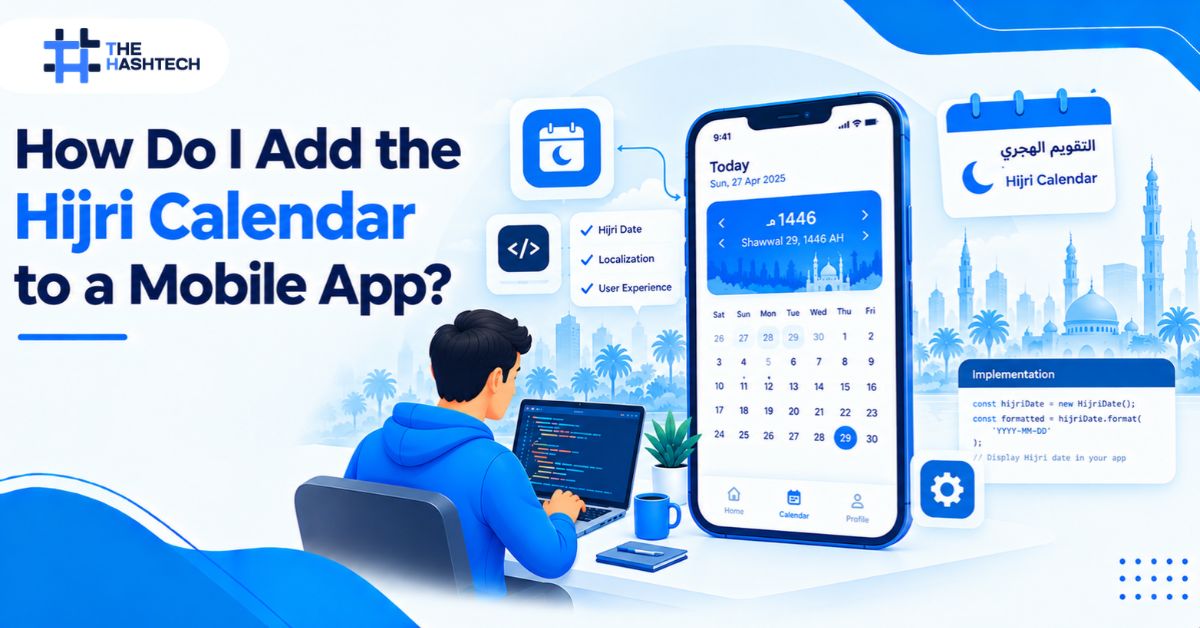
To add a Hijri calendar to a mobile app, choose the Umm al-Qura calendar system, store every date in Gregorian or UTC form, convert dates only for display, and use a date picker that understands Hijri months. iOS and Android include native calendar APIs. Flutter needs a package. Most bugs come from storing Hijri strings and from ignoring edge cases, not from the conversion itself.
This guide walks through the decisions, the platform options, the common mistakes, and a testing checklist.
What Is the Hijri Calendar, and Why Do Saudi Apps Need It?
The Hijri calendar is a lunar calendar with 12 months of 29 or 30 days. Its year is about 354 or 355 days, roughly 11 days shorter than the Gregorian year. Umm al-Qura is the Hijri calendar Saudi Arabia uses for official and administrative purposes.
The twelve months are Muharram, Safar, Rabi al-Awwal, Rabi al-Thani, Jumada al-Awwal, Jumada al-Thani, Rajab, Shaban, Ramadan, Shawwal, Dhu al-Qadah, and Dhu al-Hijjah. Your app needs correct Arabic and English labels for each one.
Many Saudi users read dates in both systems. Government forms, official documents, school calendars, and contracts often show Hijri and Gregorian dates side by side. An app that shows only Gregorian dates can feel incomplete in these settings.
Hijri dates matter most in these app types:
- Government and legal apps that process forms and deadlines
- Education platforms with term dates and exam schedules
- Banking and Islamic finance apps with payment and contract dates
- HR and payroll tools that track leave and employment dates
- Healthcare apps with appointments and patient records
- Retail apps that run Ramadan and Eid campaigns
If you are building for the Kingdom, Hijri support belongs in discovery, alongside Arabic layout and numerals. We cover those in our guide to Arabic app development and RTL design.
Five Decisions to Make Before You Write Code
Settle these early. Each one changes your data model.
- Pick the calendar variant. For Saudi users, use Umm al-Qura. Other Hijri variants can differ by a day.
- Decide how dates appear. Show Hijri only, show both, or let users switch.
- Choose your storage format. Store dates as Gregorian or UTC timestamps. Convert for display.
- Set language and numerals. Choose Arabic-Indic digits (٠–٩) or Western digits (0–9), and apply the rule everywhere.
- Handle religious dates separately. Umm al-Qura is a calculated civil calendar. The start of Ramadan and the Eids can depend on moon sighting, and they may differ by a day.
That last point matters for any app that shows religious events. Treat those dates as editable content, not as fixed calculations.
Step by Step: Add a Hijri Calendar to a Mobile App
Follow this order to keep the work clean.
- Define your data model. Keep one source of truth, such as a UTC timestamp.
- Choose a calendar API. Use the native platform tools or a trusted package.
- Convert for display only. Turn the stored date into a Hijri string at the last moment.
- Add a Hijri-aware date picker. The default pickers often show Gregorian only.
- Handle edge cases. Think about month length, year boundaries, and time zones.
- Test with real dates. Check month starts, month ends, and leap-year boundaries.
Platform Options at a Glance
| Platform | Main approach | Notes |
| iOS (Swift) | Use a calendar with the Umm al-Qura identifier and a date formatter | Native support; set the locale to Arabic |
| Android (Kotlin) | Use Java time’s Hijrah date classes or the ICU Islamic calendar | Hijrah classes need API 26 or desugaring |
| Flutter | Use packages such as hijri, hijri_picker, or a Hijri-enabled date picker | Check each package’s Flutter version requirement |
| React Native | Use the JavaScript Intl API with an Islamic calendar option, or a community library | Test on real devices, since Intl support varies |
| Web, Ionic, Angular | Use a Hijri-Gregorian date picker component | Choose the default calendar type in code |
Not sure which route fits your stack? Our mobile app development team can compare native tools and packages for your project before you build.
iOS Example
Swift lets you create a calendar and attach it to a formatter:
var hijri = Calendar(identifier: .islamicUmmAlQura)
hijri.locale = Locale(identifier: “ar_SA”)
let formatter = DateFormatter()
formatter.calendar = hijri
formatter.locale = Locale(identifier: “ar_SA”)
formatter.dateStyle = .long
let hijriText = formatter.string(from: Date())
Android Example
On Android, Java time includes a Hijrah date class:
val hijriDate = HijrahDate.from(LocalDate.now())
val text = hijriDate.format(
DateTimeFormatter.ofPattern(“d MMMM yyyy”, Locale(“ar”, “SA”))
)
Check your minimum Android version before you choose this route. If you support older devices, enable desugaring or use the ICU Islamic calendar.
Flutter Options
Flutter has several community options. The hijri_picker package, for example, lets Flutter’s built-in Material 3 date picker show Hijri dates. It needs Flutter 3.32 or newer. The material_drum_picker package offers a Hijri mode for date, time, and date-time pickers, and it states that its built-in lunar calendar is Umm al-Qura.
Packages change fast. Before you commit, check the latest version, the Flutter requirement, and open issues. One picker package even documents a crash when you use a year picker with a non-Gregorian calendar and skip a required setting. Small details like this decide whether a package fits your project.
If you work in Flutter, you can often reuse the same Hijri logic on both iOS and Android. That can save time compared with building separate native pickers.
How Hijri Dates Fit Common App Features
The calendar touches more than the date picker. Think through each feature that uses dates.
- Appointments and bookings. Save one UTC time. Show the Hijri label next to the Gregorian one. Reminders should follow the stored time.
- Subscriptions and billing. Hijri months have 29 or 30 days, and the Hijri year is shorter than the Gregorian year. A Hijri anniversary shifts earlier each Gregorian year, so confirm which calendar your contracts use.
- HR leave and contracts. Check whether company policy counts in Hijri or Gregorian terms before you code the rules.
- Reports and exports. Label the calendar in column headers, and let users choose one or both.
- Search and filters. Filter by timestamp ranges. When a user picks a Hijri month, convert its first and last day into timestamps.
Here is the flow in plain terms. A user picks a Hijri date in the picker. The app converts it to a UTC timestamp and saves it. Later, the app converts that same timestamp back for display. One stored value can appear as Hijri on one screen and Gregorian on another, with no data conflicts.
Display Hijri Dates Without Confusing Users
A calendar that is technically correct can still confuse people. Use these design rules:
- Label the calendar. Show “Hijri” or “هـ” next to the date.
- Show both when it helps. Pair Hijri and Gregorian dates on forms and receipts.
- Keep the order consistent. Do not swap day, month, and year between screens.
- Respect right-to-left layouts. Mirror the calendar grid, month arrows, and week order.
- Use one numeral style. Mixed digits make dates hard to scan.
Working on Saudi projects shapes these choices. Our app development in Saudi Arabia team plans date formats, numerals, and Arabic UX in discovery, not after design is done.
Common Mistakes When You Add Hijri Dates
- Storing Hijri strings. Strings break sorting, filtering, and time zones. Store a timestamp and convert on display.
- Using shortcut formulas. Subtracting a fixed number of years from the Gregorian year gives wrong results. Use a calendar API.
- Assuming fixed month lengths. Hijri months have 29 or 30 days. Let the library calculate them.
- Treating calculated dates as religious dates. Umm al-Qura is a calculated calendar. Moon sighting can shift Ramadan and Eid by a day.
- Ignoring when the Hijri day starts. Traditionally, the Hijri day begins at sunset. Most business apps follow the civil day, but religious apps may need sunset logic.
- Letting the device locale decide everything. A user’s phone settings may not match your app’s rules. Set the calendar explicitly.
- Testing only today’s date. Bugs hide at month ends, year ends, and conversion boundaries.
Testing Checklist
Run these checks before launch.
- Convert known date pairs in both directions and compare results
- Test the first and last day of every Hijri month
- Test year rollover from Dhu al-Hijjah to Muharram
- Check dates at midnight and across time zones
- Verify the date picker in Arabic and English
- Check right-to-left layout on every calendar screen
- Test saved dates after an app update
- Confirm that notifications and emails show the right format
Keep a small set of reference dates from an official source. Run them in automated tests so a package update cannot silently change your results.
What Does Hijri Support Cost?
Hijri support is one piece of Arabic localization. Its effort depends on your platform, how many screens show dates, and whether you need a custom picker. Apps with many forms, bookings, or reports need more work than apps that show a single date.
To see how localization affects total budgets, read our guide to mobile app development cost in Saudi Arabia. Ask any vendor to list Hijri support as a separate line item in the estimate.
Final Thoughts
Learning how to add a Hijri calendar to a mobile app is mostly about discipline. Pick Umm al-Qura. Store standard timestamps. Convert only for display. Label calendars clearly. And treat religious dates as content you can edit, not constants you calculate once.
Done well, Hijri support makes your app feel built for Saudi users instead of adapted for them. Plan it early, test it with real dates, and keep it in your estimate from the start.
Frequently Asked Questions
Can I add a Hijri calendar to a mobile app without a library?
Yes, on native platforms. iOS includes calendar identifiers for Islamic calendars, and Android includes Hijrah date classes and ICU calendar tools. A library helps most when you need a ready-made Hijri date picker, especially in Flutter or React Native.
Which Hijri calendar should a Saudi app use?
Use Umm al-Qura. It is the calendar Saudi Arabia uses for official and administrative purposes. Other Hijri calculations can differ by a day.
Why do Hijri dates sometimes differ by one day?
Different calendar variants calculate month starts differently. Also, religious observances such as Ramadan and Eid can depend on moon sighting, so they may not match a calculated calendar.
Should I store dates as Hijri or Gregorian?
Store dates as Gregorian or UTC timestamps. Convert them to Hijri only when you display them. This keeps sorting, filtering, and time zones reliable.
Does Flutter support a Hijri date picker?
Yes, through packages. Options include hijri_picker, which adapts Flutter’s Material 3 date picker, and a drum-style picker with a Hijri mode. Check each package’s Flutter version requirement and open issues before you choose.
Do I need Hijri dates in every Saudi app?
Not always. They matter most in government, education, finance, HR, healthcare, and legal apps. For other apps, you can offer them as a user setting.
Technical details are based on platform documentation and public package pages for hijri_picker and material_drum_picker. Package versions and requirements change often, so confirm the latest details before you build.
Need Hijri Dates Built Into Your App?
We plan Hijri support, Arabic layouts, and Saudi data rules together. Talk to our team and we will scope the calendar work before you commit to a build.