
How Do I Add Nafath Login to a Mobile App?


30 October, 2026
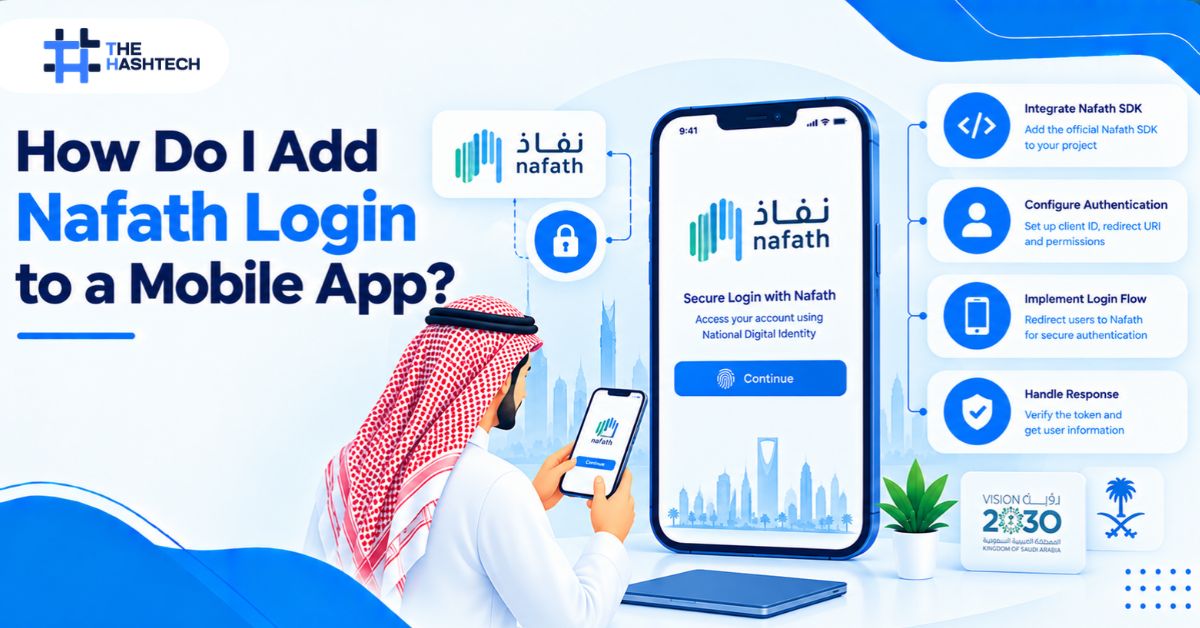
To add Nafath login to a mobile app, you first need approved access as a service provider. There is no public self-serve sign-up, so you apply through the operator or an approved provider. Then your backend sends a login request with the user’s National ID or Iqama number; your app shows the request number, and the user approves it in the Nafath app. After a successful result, your server creates its own session for the user.
The sign-in is simple for users. The hard parts are access, backend design, and edge cases. This guide covers all three, and it says clearly where official sources stay silent.
What Is Nafath?
Nafath is Saudi Arabia’s Unified National Access system. It lets people sign in to government and private digital services with one national identity. The Saudi Data and AI Authority (SDAIA) runs it, and it works with a Nafath mobile app.
Nafath began as a joint effort of the National Information Center and the Ministry of Interior, and Elm helped build it. Public figures from November 2024 show more than 23.5 million users, more than 530 connected platforms, and more than 3 billion verification operations.
If you are planning a launch in the Kingdom, working with a mobile app development company in Saudi Arabia helps you plan identity, payments, and Arabic UX together.
Nafath is not Absher. Absher is the Ministry of Interior’s services platform. Nafath is the sign-in layer other services use, and its password route uses the Absher account password.
How the Nafath Login Flow Works
SDAIA’s user guide documents the app route. The user sees these steps:
- Enter an ID. The user types a National ID or Iqama number on the login screen and taps Login.
- See a request number. Your service shows a number on screen.
- Open the Nafath app. The incoming request appears in the app.
- Accept and match. The user accepts, then picks the matching number from three options.
- Confirm. The user enters a PIN or uses biometrics where the app offers it.
- Return to your app. Your backend receives the result and signs the user in.
The user has about 60 seconds to approve. A wrong number ends the attempt, and the user must start a new request from your service.
A second route needs no app. The user enters an ID number and the Absher password, then a one-time code sent to the Absher mobile number. Plan for both routes in your design.
Who Can Add Nafath Login?
Private companies can use Nafath. SDAIA describes it as a sign-in for public and private sector platforms. But there is no public developer portal in the official sources reviewed, and integration fees and onboarding lead times are not published.
You have three practical routes:
| Route | What it means | Watch out for |
| Onboard with the operator | Apply to SDAIA and the National Information Center as a service provider | Requirements and contract terms come through the application, not public pages |
| Use an approved service provider | A licensed partner connects you to Nafath | Pricing and lead times vary, so request them in writing |
| Document route | Verify identity with an ID document, chip reading, and face match | It does not replace Nafath where a regulator requires it |
If your company is a financial institution, check the SAMA rule. Saudi Central Bank circular No. 44037856 (26 November 2022) requires supervised institutions to use biometric authentication “with a high level of verification or above” for remote customer onboarding. It ties that feature to the Nafath application and tells institutions to integrate with an approved service provider. Treat this as a separate duty from identity risk checks, and confirm details with your compliance team.
Saudi fintech and government-adjacent teams plan this early. Our mobile app development company in Riyadh works with SAMA-related requirements during discovery, before any login screen is designed.
Step by Step: Add Nafath Login to a Mobile App
Follow this order to avoid rework.
- Get approved access. Apply through the operator or an approved provider. Ask for the technical specification, test environment, and attribute list in writing.
- Build the integration on your backend. Keep all Nafath credentials on your server. Never place them in the app.
- Create the login screen. Ask for a National ID or Iqama number. Validate the format before you send the request.
- Create the request screen. Show the request number in large type, with a 60-second countdown and clear instructions.
- Track the result. Poll the request status every few seconds, or receive a callback, depending on your integration. Handle waiting, completed, rejected, and expired states.
- Create your own session. After a successful result, issue your own access token. Do not pass Nafath data directly to the app as a session.
- Link the identity to an account. Match the verified ID to a user record, or create one.
- Add fallbacks. Offer another sign-in route for users who cannot complete Nafath.
- Test every state. Test success, rejection, timeout, wrong number, and lost connection.
Community integrations built for Nafath describe separate sandbox, staging, and production environments, app credentials, and server IP allowlisting. Treat these as examples, and follow the specification your provider gives you.
Architecture: Who Does What
| Layer | Responsibility |
| Mobile app | Collect the ID number, show the request number and countdown, then show the result |
| Your backend | Hold credentials, create and track requests, verify results, issue your session |
| Nafath service | Send the request to the user’s Nafath app and return the outcome |
| Nafath app | Let the user approve with the matching number and PIN or biometrics |
The key rule is simple: the mobile app never talks to Nafath with secrets. The app talks to your backend. Your backend talks to Nafath. Our mobile app development team keeps this split on every identity project, so a leaked app build never exposes credentials.
Mobile UX Details That Matter
A technically correct flow can still frustrate users. Pay attention to these details.
- Make the number impossible to miss. Use large, high-contrast digits.
- Explain the app switch. Tell users to open the Nafath app, approve, and return.
- Handle backgrounding. When users switch apps, resume status checks as soon as your app returns to the foreground.
- Show the countdown. Users should see how much time remains.
- Offer a quick retry. A new request should take one tap.
- Write Arabic-first copy. Instructions and errors should read naturally in Arabic and English.
- Check deep links with your provider. The documented flow has users open the Nafath app themselves. Confirm whether your integration supports app-to-app switching before you design around it.
We cover layout and typography rules in detail in our guide to next-generation mobile apps for Saudi businesses.
Security and Privacy Rules
Identity data is sensitive. Build these protections in from the start.
- Keep credentials and signing keys on the backend only
- Use HTTPS for every request, and verify any signed result you receive
- Rate-limit login requests per ID and per device
- Expire requests quickly and reject replayed results
- Issue short-lived session tokens, and rotate refresh tokens
- Store only the identity data you need, and encrypt it
- Log events, but never log secrets or full ID numbers
- Confirm data location and retention with your provider and legal counsel
After the first Nafath sign-in, you can offer device biometrics (Face ID or fingerprint) for quick return logins. This improves the experience without asking for Nafath every time. Decide this with your compliance team, because some regulated flows require fresh verification.
What Data Does Nafath Return?
Do not assume you will receive a full profile. Official public sources do not publish an attribute list. They show that the sign-in is tied to a National ID or Iqama number and that a request ends as accepted, rejected, or expired.
Community integrations report fields such as an identifier, an Arabic full name, and a user type, such as citizen or resident. Confirm the exact list in your onboarding agreement. If you need a date of birth, an address, or a photo, plan a second step to collect them.
Common Mistakes When You Add Nafath Login to a Mobile App
- Starting development before approval. Without access, you cannot test against the real service.
- Calling Nafath from the app. This exposes credentials and breaks security rules.
- Ignoring the 60-second window. Users need a countdown and an easy retry.
- Treating a timeout as a system error. A pending or expired request is a normal state.
- Having no fallback. Some users hold neither a National ID nor an Iqama, and some cannot reach the app in time.
- Using Nafath data as your session. Create your own session after verification.
- Assuming Nafath replaces all identity checks. Risk, screening, and monitoring stay your responsibility.
- Skipping Arabic copy review. Unclear instructions cause failed attempts.
Testing Checklist
- Successful approval from start to finish
- Rejected request
- Expired request after the time limit
- Wrong number selected
- Network loss during polling
- App moved to the background and back
- Duplicate taps and repeated requests
- Arabic and English screens, with right-to-left layout
- Fallback login route
- Token expiry and refresh
What Does It Cost and How Long Does It Take?
Official sources do not publish an integration fee, a per-sign-in fee, or an onboarding lead time. Do not trust a number that comes without a source.
Ask for a written quote and timeline from the operator or provider before you commit. Include the development work in your budget as well. Login, backend, security, testing, and Arabic UX all take effort. See how Arabic localization and compliance affect budgets in our guide to mobile app development cost in Saudi Arabia.
Final Thoughts
To add Nafath login to a mobile app, treat access as the first milestone, not the last. Get approval, request the specification in writing, and design the backend so your app never touches secrets. Then build the flow around the real user: a number to match, 60 seconds to act, and a clear way to retry.
Teams that plan fallbacks, Arabic-first copy, and privacy rules early launch faster and see fewer failed logins. Nafath gives users a trusted way in. Your design decides whether it feels easy.
Frequently Asked Questions
Can a private company add Nafath login to a mobile app?
Yes. Nafath is described as a sign-in for public and private platforms. You still need approved access through the operator or an approved provider.
Is there a public Nafath API or SDK I can use today?
The official sources reviewed show no public developer portal. Access comes through onboarding. Community packages exist, but your provider’s specification is the source of truth.
How long does a Nafath login request last?
The user has about 60 seconds to approve. After that, the request expires, and the user must start a new one from your service.
Does Nafath work for residents with an Iqama?
Yes. The login accepts a National ID number or an Iqama number. People who hold neither need another sign-in or verification route.
Is Nafath mandatory for bank onboarding?
For institutions supervised by SAMA, circular No. 44037856 requires biometric authentication at a high level of verification for remote onboarding, and ties it to the Nafath application. Check the circular and your compliance team for your exact case.
What does Nafath cost to integrate?
No official fee is published. Ask the operator or an approved provider for a written quote.
Should I keep another login option?
Yes. A fallback helps users without a National ID or Iqama, users who miss the time window, and in case of any service interruption.
Facts in this guide come from the SDAIA Nafath user guide, Saudi Press Agency figures from November 2024, the SAMA Rulebook circular No. 44037856, and public integration documentation. Official sources do not publish fees, lead times, or a full attribute list. Confirm current details with the operator before you build.
Planning Nafath Login for Your App?
We design the full flow: backend, Arabic-first screens, fallbacks, and security. Talk to our team, and we will scope your Nafath integration before you commit to a build.