
How to Integrate Mada Payments into Your App in Saudi Arabia


26 October, 2026
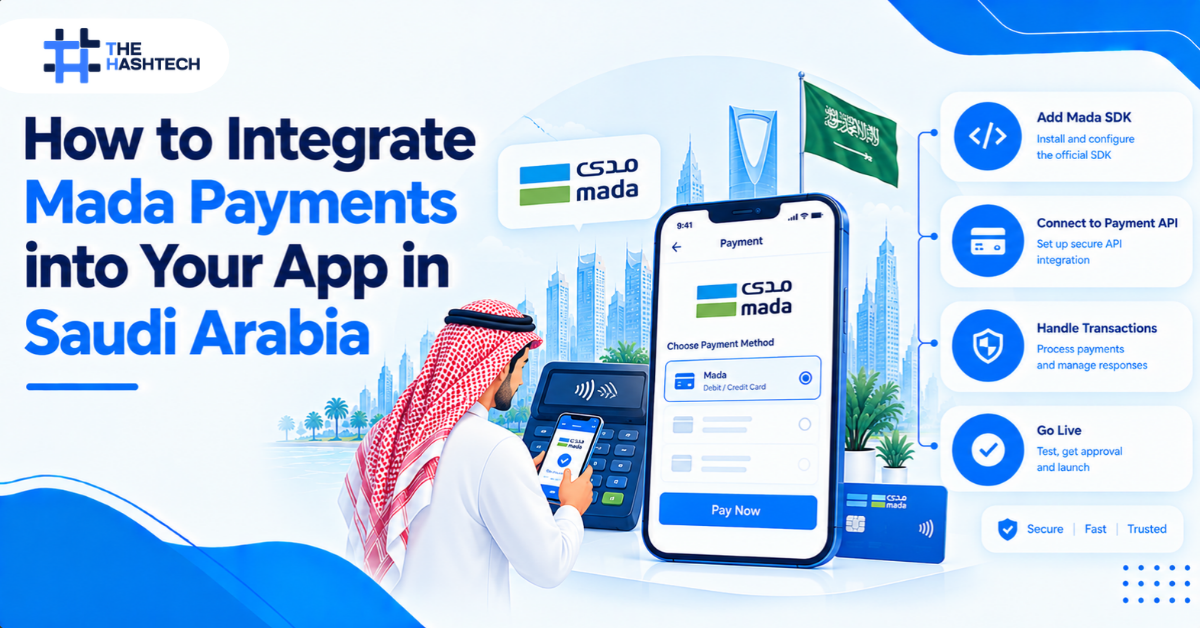
If your app takes payments from customers in the Kingdom, Mada is not a nice-to-have. It is the national debit network, and most Saudi cardholders expect to pay with it. An app that only accepts international credit cards will lose customers at the payment screen.
The short answer to “how do I integrate MADA payments into my app?” is this: you don’t connect to MADA directly. You open a merchant account with a Saudi payment gateway or acquirer that supports MADA, then integrate that provider’s SDK or API into your app and backend. The rest of this guide walks through how to do that properly.
If you would rather have a team handle it end to end, our mobile app development team in Saudi Arabia can help with the build and the payment integration.
What Mada is and why it matters for your app
Mada is Saudi Arabia’s national payment network, operated by Saudi Payments, which is part of the Saudi Central Bank (SAMA) ecosystem. Most debit cards issued by Saudi banks run on mada, often alongside Visa or Mastercard branding. You can read the scheme’s own overview at mada.com.sa.
For an app owner, this has three practical consequences:
- Conversion: customers with Mada cards will abandon checkout if it is not supported.
- Provider choice: Mada acceptance comes through a Saudi gateway or acquirer, so your provider choice decides what you can offer.
- Local expectations: Saudi users expect Apple Pay, Mada, and often STC Pay, in SAR, with an Arabic (RTL) interface.
Step 1: Choose a payment gateway that supports Mada
Your first decision is the provider. Widely used options in the Saudi market include Moyasar, HyperPay, PayTabs, and Tap Payments. Others exist, so treat this as a shortlist rather than a ranking.
When comparing providers, check:
- mada support across the channels you need (in-app, web, recurring)
- Mobile SDKs for your stack (iOS, Android, Flutter, React Native)
- Apple Pay and STC Pay support
- Licensing and settlement: confirm the provider is authorised to operate in Saudi Arabia and check settlement times and currency
- Pricing: transaction fees, setup fees, refund fees and chargeback handling (always get the current rate card in writing)
- Documentation and sandbox quality: you will live in these for weeks
- Support: Arabic and English support, and an escalation route for failed settlements
Which gateway fits which business? There is no single best choice, so match the provider to your product:
- MVP or early-stage app: pick a provider with a self-serve sandbox and quick activation, so you can build before approval lands. Moyasar, for example, lets you test in a sandbox first.
- Apps on several platforms: check SDK coverage for iOS, Android, Flutter, and React Native before you decide.
- Marketplaces and platforms: look for onboarding (KYC/KYB) and payout features for your sellers.
- Subscriptions: ask about tokenisation and recurring billing rules for MADA cards.
Compare at least two providers using the checklist above, and confirm current features in their documentation.
Step 2: Complete merchant onboarding early
This is the step teams underestimate. To accept live Mada payments, you need an approved merchant account with your chosen provider, and that usually requires business documents such as a commercial registration, bank account details, and information about your app and products. Approval can take longer than development, so start onboarding in parallel with the build, not after it.
What providers typically ask for. Exact lists vary by provider and business type, but commonly include:
- A valid Saudi commercial registration (CR) or freelance licence, and a Saudi business bank account linked to it (Moyasar)
- A bank letter or IBAN certificate showing the account in your business name (EdfaPay, PayTabs)
- Articles of association, owner ID, and tax documents for some company types (PayTabs lists these by category)
- A description of what you sell, your pricing, and your refund policy, which Moyasar reviews before enabling live payments
How long it takes. Moyasar states that approval typically takes 2 to 5 business days after all documents are submitted and verification is complete. Other providers vary, so ask yours for a timeline in writing. Moyasar also notes that you don’t need a fully launched website to start activation, so apply early.
Step 3: Pick your integration approach
There are three common ways to take Mada payments in an app.
| Approach | How it works | Best for | Trade-off |
| Provider mobile SDK | Pre-built payment screens or components inside your iOS, Android, Flutter, or React Native app | Most apps | Less visual control, fastest and safest |
| Hosted checkout / redirect | User is sent to the provider’s secure page, then returned to your app | Quick launches, web-first products | Slightly less seamless experience |
| Direct API with custom UI | You build your own form and call the provider’s API | Large teams with strict UX needs | Highest PCI burden, highest effort |
For most apps, we recommend the SDK route. For example, Moyasar’s documentation lists mobile SDKs for iOS, Android, Flutter, and React Native, and its card flow manages the 3D Secure step for you. Always confirm the current features in your provider’s documentation before you commit.
Step 4: Design the payment flow around your backend
The most common integration mistake is trusting the app. A payment is only real when your server has verified it. A safe flow looks like this:
- The user taps Pay in the app.
- The app collects payment details through the provider’s SDK or hosted page. Card data goes straight to the provider and never touches your servers.
- The provider processes the payment, including 3D Secure authentication for cards.
- The provider redirects the user back to your app and sends a webhook to your backend.
- Your backend verifies the payment status with the provider’s API (never rely on the client’s word), checks the amount and currency, then marks the order as paid.
- Your app shows the confirmation.
Build these safeguards from day one:
- Verify webhooks using the signature or secret token your provider supplies.
- Make order updates idempotent, because webhooks can arrive more than once.
- Store the provider’s payment ID against every order for reconciliation.
- Handle pending, failed, and abandoned states, not just success.
- Keep secret keys on the server only. Publishable keys may live in the app. Secret keys must not.
Step 5: Handle 3D Secure authentication
Card payments in the Saudi market go through 3D Secure, where the cardholder authenticates with their bank, usually via an OTP or banking app. With a good SDK, this is managed for you, as in Moyasar’s card flow, but you still need to design for it:
- Make sure your app handles the return from the authentication step cleanly, including deep links back into the app.
- Handle users who close the app or lose connection mid-authentication. Your webhook and status check should settle the final state.
- Show clear Arabic and English error messages when authentication fails.
Step 6: Add Apple Pay and STC Pay alongside Mada
Mada works best as part of a local payment mix. Apple Pay is popular on iOS and can carry Mada cards. In Moyasar’s Apple Pay setup, for example, merchant capabilities include 3DS, credit and debit support. STC Pay is the dominant local wallet and is offered as a separate method by several gateways.
Check with your provider which methods are enabled for your merchant account, since Apple Pay needs its own merchant and domain setup, and STC Pay may be activated separately.
Step 7: Test thoroughly before going live
Use the provider’s sandbox and test cards first, then run a small set of live transactions.
Test at least:
- Successful and declined Mada card payments
- 3D Secure success, failure, and abandonment
- Webhook retries and duplicate webhooks
- Refunds, partial refunds, and voids
- Network drops and app backgrounding mid-payment
- Arabic RTL layouts and SAR formatting on small screens
- Reconciliation: do your orders match the provider’s settlement report?
Our recommended QA approach. Treat payments as a release-blocking feature. Run every scenario above in the provider’s sandbox, repeat them on real iOS and Android devices (Apple Pay needs a supported device), then finish with a few low-value live transactions and a test refund before launch. Finally, compare your orders against the provider’s settlement report to confirm everything reconciles.
Compliance: what to check
This is not legal advice, so confirm requirements with your gateway, bank, and legal counsel.
- PCI DSS: using the provider’s SDK or hosted page keeps card data off your servers and reduces your PCI scope. Collecting raw card numbers yourself increases it significantly.
- SAMA regulation: payment services in Saudi Arabia are regulated by SAMA, so work with licensed providers.
- Personal data (PDPL): if you store customer data or saved payment tokens, make sure your privacy policy, consent flows, and data handling meet the Saudi Personal Data Protection Law.
- Tokenisation: if you offer saved cards, use the provider’s tokens and never store card numbers.
Common mistakes to avoid
- Treating Mada as an add-on at the end of the project
- Starting merchant onboarding too late
- Marking orders paid based on the app’s callback instead of server-side verification
- Skipping webhook signature checks
- Ignoring failed and pending payment states
- Launching without Arabic copy and RTL testing
- Forgetting refunds and reconciliation tooling for your finance team
How long does it take, and what does it cost?
Pricing depends on scope. We quote each payment integration after a short discovery call, because the effort differs widely between a single card flow and a full multi-method setup. Request a quote.
Cost and timeline depend on your platform count (iOS, Android, web), the number of payment methods, whether you need recurring payments or saved cards, and how quickly merchant onboarding is approved. Gateway fees are set by your provider, so request their current pricing directly.
Why work with a local team on payments
Payments touch product design, backend security, compliance, and customer support all at once. A team that builds for Saudi users every day already knows the local payment mix, Arabic UX conventions, and how to work with Saudi gateways.
- Based in the capital? Our app development team in Riyadh can scope and build your payment flow.
- Serving the western region? Our app development team in Jeddah can support your launch in Jeddah and nearby cities.
- Planning a nationwide launch? See our full app development services across Saudi Arabia.
See our work. Browse our case studies to see how we deliver apps for clients.
Frequently asked questions
Can I integrate Mada directly without a payment gateway?
In practice, no. Businesses accept Mada through a gateway or acquirer that offers it, so you need a merchant account with one of them.
Do I need a Saudi company to accept Mada payments?
Requirements vary by provider, but most Saudi gateways ask for local business documentation during onboarding. Confirm eligibility with your chosen provider.
Does Mada work for recurring payments and subscriptions?
Support depends on the gateway and your account setup. Ask your provider about tokenisation and recurring billing rules for Mada cards before you design a subscription model.
Can I accept MADA in a Flutter or React Native app?
Yes, if your provider has an SDK for that framework or supports a hosted checkout. Several Saudi gateways publish Flutter and React Native SDKs, so check current availability.
Is Apple Pay enough without Mada?
No. Not every customer uses Apple Pay, and Android users need alternatives. Offer Mada cards plus Apple Pay and, where relevant, STC Pay.
What is the difference between a payment gateway and an acquirer?
The gateway is the technology that securely passes payment data between your app and the payment network. The acquirer is the bank or licensed entity that settles money to your account. Many Saudi providers bundle both.
Ready to add Mada to your app?
We can help with gateway selection, integration, testing, and go-live for your Saudi app. Talk to our team or explore our case studies.