
Top 10 Tools Every Android App Developer Should Use


31 July, 2026
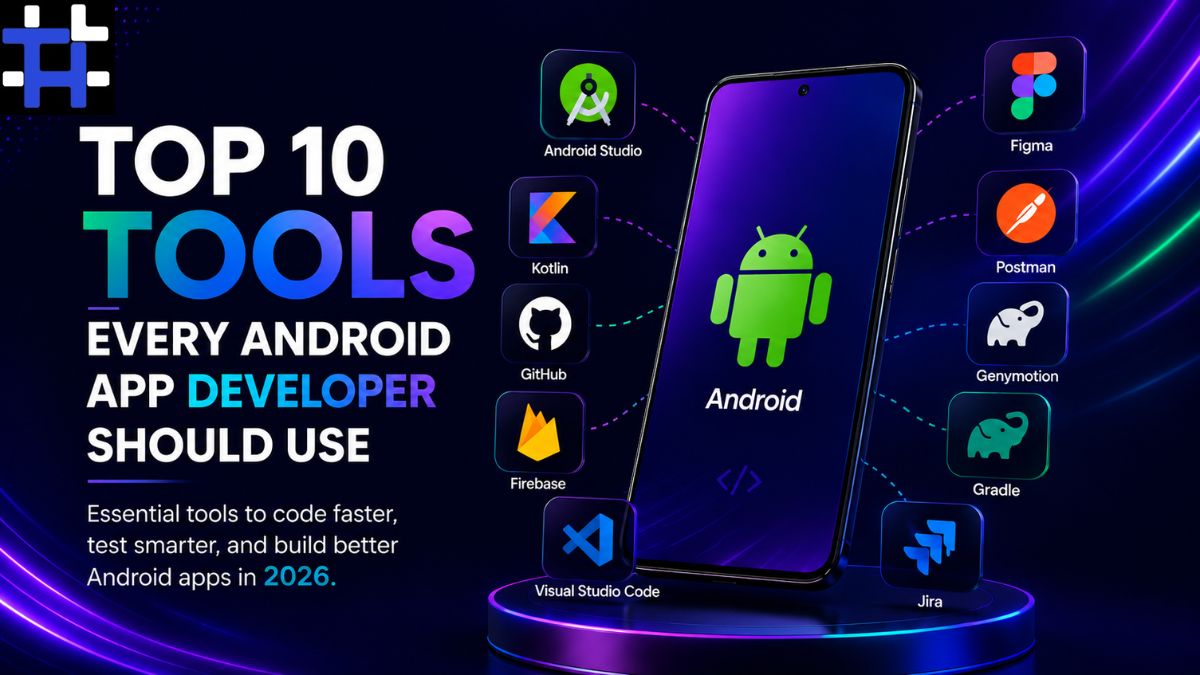
In the current age of digital revolution, modern businesses have to find innovative ways to reach out to the target audience and achieve their financial goals. As a result, Android applications have attained increased significance in the current ecosystem. From eCommerce platforms and healthcare to banking and AI-powered apps, every industry has its own set of requirements. Leading developers are expected to build faster, more secure, and seamless apps on Android devices, which require the right set of tools for the job. In the following article, we explore the top Android app development tools you should be using to help you power through your day and increase your productivity.
A lot of time has passed since then, and Android app development tools and practices have since improved. The Android ecosystem is more robust and better than ever, and there are amazing new frameworks like Flutter that support cutting-edge programming practices and security standards. That being said, with that said, if you want to keep a step ahead of the rest, you’ll want to skip outdated tools and use the best Android app development tools, especially if you’re an enterprise or entrepreneur.
Why Development Tools Matter More Than Ever
Being an Android developer sometimes feels like doing everything but writing code. We still have to plan our app screens, organize source code, test multiple devices, get to the bottom of crashes, override our app size, work with designers and stakeholders, all the while releasing app updates on this constant schedule. All of these things are important, but can be overwhelming when you don’t have the right tree to know how to climb it.
Tools that help automate these repetitive and organizational tasks, while helping you find performance bottlenecks and security issues, are plentiful and will only get better with time as the number of Android devices, versions, and development environments continues to grow. As a business, if you are investing in mobile technology, then the tools you use are as important as the product you’re building. Experienced companies understand that efficient workflows lead to faster delivery, better-performing applications, and lower long-term maintenance costs.
1. Android Studio: The Foundation of Every Successful Android Project
Therefore, the first step toward building a successful and beautiful Android app is selecting a great Integrated Development Environment (IDE). Since the newest and most advanced approach to Android development, using Jetpack Compose, is tightly integrated with the Android Studio SDK, this paper will give you an introduction to this particular IDE. Developed by Google and put through several major upgrades, Android Studio has been the main IDE for Android application development from the beginning. Because Android app development company is a complicated process that involves a lot of work steps, Android Studio offers a holistic interface for developers to handle all of those processes within the same IDE, instead of switching back and forth. For example, a double-click on an individual class or method will open the Java IDE editor and offer the user the possibility to edit the code; a right-click on the same class or method will give a list of possible operations to run on it.
For example, Android Studio has an integrated Android Emulator that can simulate not only different device types, but also different device distributions. You can even play around with different Android OS versions, different screen sizes, etc., without requiring a room full of Android devices. Also, because performance is heavily tied to app success, Android developers want to discover the bottleneck as early as possible. Android Studio provides a set of great performance profiling tools that implicitly or explicitly show how well an app performs and whether the performance is acceptable. Android Studio is also compatible with the latest Android Jetpack libraries, including Jetpack Compose, the next-generation declarative UI framework for Android.
2. Kotlin: The Programming Language That Changed Android Development
Your Android app’s language will shape how the program is designed and maintained. So it is also another thing to keep in mind when choosing an Android developer. While Java was the first to make its way onto the Android platform in the early days, Google soon announced Kotlin as its “preferred” language to develop Android applications. Today, almost every experienced Android application developer works with Kotlin due to its concise syntax and safety features. Two of the most significant reasons for this shift are that Kotlin drastically reduces the amount of code developers need to write, and that it solves a common Java vulnerability.
Kotlin reduces the number of lines of code your mobile app needs to run, leading to shorter and more readable code snippets and less room for mistakes. But perhaps more important is that Kotlin makes Android apps safer by way of null safety. If an app tries to access data that isn’t there, it crashes; Kotlin tackles this vulnerability head-on, forcing developers to declare whether values will be null or not, and thus known. Kotlin also makes asynchronous programming doing many things at the same time simple by offering the ‘coroutines’ tool. This helps with the increased need for background tasks with modern Android apps, such as loading images and retrieving data from cloud servers. For very complicated or lengthy background processes, Kotlin has a coding system called suspend, which stops a background process until the process has finished. And the great thing about Kotlin is that it can be used in conjunction with Java so teams with many legacy apps don’t even have to upgrade everything to start using it. Rather, Kotlin can be introduced one step at a time. This is what appeals to big companies, which prefer to slowly update legacy apps to keep business uninterrupted, but still take advantage of new technology. This is also why more and more companies are looking for Kotlin expertise in their app developers. Google and Kotlin are here to stay.
3. GitHub: Keeping Development Organized from Start to Finish
Developing and handling an Android app is a herculean task that is never executed by a single person. It takes a huge effort from a dedicated team consisting of developers, UI designers, quality assurance engineers, managers, DevOps specialists, and so on. Upon beginning, the project authors break down the primary ideas and design equations and coordinate with additional team members to get them all on track. In case two or more people are attempting to experiment with the same part of the ‘source code’ in Git repositories with the latest version of Android Studio (ActionBar and many more). The likelihood of colliding code, losing previous data, or taking the wrong version of the new release is significantly greater, and this fact is primarily known to every developer. The perfect way out is to use a version control system. And that’s exactly where professional code hosting platforms like GitHub and Bitbucket come into their own.
For the developers to work on the same app, they can create a new branch that basically works as a ‘sandbox’ where some isolated work is performed. Upon completing the work and examining the new features, it can be later merged into the codebase.
In addition to version tracking and collaboration features, GitHub has been gradually transforming into a full-blown app development platform. Starting with simple Version control, it now offers code review and commenting, issue reporting, automation with GitHub Actions, etc. Each app that is developed by a developer can be easily published by tracking its release lifecycle and enabling communication with the native user and feedback.
4. Firebase: Simplifying Backend Development for Android Applications
Building a good Android application is, therefore, not necessarily about creating a nice interface. Most users today prefer secure registration, a database, notifications, analytics, crash reporting, and many other services. However, creating all of these things manually or through different providers might lead to a number of problems; most notably – a delayed release or a need to hire new team members. These problems make many Android app creators consider using a platform like Firebase.
Developed by Google, Firebase contains a collection of cloud-based services that automate many of these issues. You will not have to hire additional developers for creating a registration page, database, online presence, and other features. Instead, you will spend as little as a few weeks working with Firebase, instead of a few months or even more. You may start by exploring the features of Firebase Authentication that will allow you to create a simple yet safe registration page, using popular providers like Google or Facebook. After that, you may want to connect your Firebase project with Cloud Firestore or Realtime Database in order to enable instant data updates for all your devices. Subscribing to your Firebase app enables you to stay informed of the app’s health and get crash reports.
5. Figma: Bridging the Gap Between Designers and Developers
A successful Android application is not judged only by its functionality. The overall user experience makes an app convenient and easy to navigate. This is why modern mobile development is not limited to a technical aspect; it also refers to cross-departmental cooperation, beginning long before the first lines of code. Figma has become the most popular design platform among Android app developers because it gives a remarkable advantage over other tools. An application at the production stage is a code that is ready for implementation, multiple iPhone app development services prototypes, storyboards, wireframes, and other supplementary content – all of them are tightly-knit and stored in one shared workspace.
Android app developers have no difficulty inspecting every element – from UI components to writing styles and pixel-perfect positioning – because all the design information is attached to the component in Figma. Designers never need to write down measurements or specify font sizes anymore; it is all available in one click. The benefits of Figma’s cloud-based collaboration are undeniable; it enables several specialists to access the same data all at once and communicate closely. It also has a set of useful versioning and permission customization features. Leading Android application development companies expand their operations on iOS, in addition to Android; a shared design language makes it easier to expand from one platform to another.
6. Postman: Making API Testing Faster and More Reliable
Very few Android applications operate totally independently. The typical app relies on a slew of APIs to communicate with servers, payment gateways, social media platforms, mapping services, cloud databases, or some other entity. Ensuring those APIs are functioning correctly is a critical responsibility for all Android app developers in Houston, and one of the items on the punch list that most can live without. Enter Postman, one of the most trusted tools available today to send a request directly to a server and instantly see the results.
Developers can use Postman to test the endpoints, validate authentication, verify data structures, troubleshoot errors, and make sure the behavior of backend services will match the game’s requirements, all without having to do any extra coding or add-on features to their applications. The value of Postman can be especially apparent during collaborative development. Instead of waiting for back-end communications to be written, developers can use documented endpoints to perform simple tests. This allows the Android team to begin integrating data while the back-end team completes the API. More importantly, by documenting the different API test cases, the teams can do repeat testing each time the back-end systems are modified. This prevents unexpected bugs from reaching production.
7. Gradle: Powering Efficient Android Builds
You can begin imagining the magnitude of files that you need to compile to actually test this app in a real-world scenario. It can be quite a lengthy process, and surely it is worth explaining some tools that can make our lives easier. So here is a quick tip. Gradle supports creating multiple build configurations for different mobile app development service variants. For low-end devices, we might want to define a separate build configuration with only MiniApp. Not every developer is a Gradle guru and can make the best of such features. Over the course of the project, I have seen some developers give up on Gradle and decide to include all the dependencies on their own, even though the fact that Gradle takes care of all this is one of the best features. The good news, though, is that you don’t need to worry about it since Gradle would take care of everything for you.
8. Visual Studio Code: A Lightweight Companion for Modern Development
First, let’s not forget that Android Studio is an IDE (integrated development environment) that is primarily meant to cater to Android developers. While it is, by far, the most full-featured IDE you’ll find out there for Android app development, many experienced Android app developers use another IDE, Visual Studio Code, as part of their overall development experience. In this article, I’ll help you understand when Visual Studio Code is a reliable complement to Android Studio rather than a replacement for Android Studio. Developers use Visual Studio Code to edit app configuration files, access documentation, write snippets of code for testing or automating different parts of their workflow, and write backend scripts. Moreover, Visual Studio Code integrates with many popular frameworks, programming languages, and runtimes, including Flutter, React Native, JavaScript, Node.js, Python, and more.
The adoption in recent years of multiple technologies by software development teams is separate from and independent of the choice of a primary programming language. Like many other developers, I have found Visual Studio Code to be extremely valuable to me in my work.
9. Genymotion: Expanding Testing Beyond Physical Devices
A significant part of Android development is testing. But testing can be a nightmare because of the enormous variety of smartphones and tablets in today’s world. The screen sizes, processors, Android versions, and hardware capabilities can vary significantly from one device to another. Conducting tests on every physical device can be an accurate test experience; it would cost a lot in terms of materials and time. Genymotion, on the other hand, provides advanced virtual Android devices with the ability to emulate many hardware configurations.
This means that an android app developer can run the application under different conditions with no need to get the actual device. For distributed development teams, it is especially a useful feature. But an automated testing system also allows us to set up the virtual device to be launched remotely. So we, as developers or testers, can verify that everything works smoothly on the most current Android version and also test whether the app is compatible with a particular device. Testing compliance can help us avoid negative reviews in app stores.
10. Jira: Keeping Development Projects on Track
In order for your Android application to be successful, it is not enough just to be a great programmer. You also have to be a great team leader and a project manager. A great project requires planning, characterizing, and troubleshooting prior to release. And tailored project management tools play a fundamental role in easing the process.
Jira has become one of the most adopted tools by developers for organizing their work. It offers a flexible task management platform. You can create distributions and bucket organization, and then create your personal task backlog. All the features that can be added or fixed from inception to release are stored on Jira.
Rest assured, your app developer can check on each feature, bug, or improvement from the initial step until deployment. Jira even integrates with GitHub to provide a seamless, continuous workflow from coding to testing and a clean end of the project. It’s the ultimate project management companion.
Choosing the Right Combination of Tools
No single tool or technology package can solve the myriad challenges that come with Android development. These challenges range from platform instability and hardware fragmentation to inefficient workflows and business demands for faster delivery cycles. The most successful projects are built around a combination of complementary technologies that extend the core technologies through each step of the SW development cycle. This is why Android development projects often include Android Studio for development, Kotlin for programming, Git Hub for version control, Firebase for backend storage, Figma for user interfaces, Postman for API testing, Gradle for builds, Visual Studio Code for enterprise features, Genymotion for screen testing, and Jira for planning and deployment.
But the exact combination depends on the complexity of the project, its business objectives, team size and set of long-term maintenance goals, as shown in the figure below. When these factors are being accounted for, integrating the technologies that encompass them can lead to a more streamlined workflow, which ultimately increases productivity while delivering a higher-quality application.
Conclusion
These little insights should make it clear that Android development is constantly changing, and that the bar keeps rising for those who develop applications for this platform. Keeping pace with the changes requires a continuous effort to adapt, streamline, and optimize, and these solutions can go a long way toward helping Android app developers do just that.
That being said, any Android app developer can learn a thing or two from the solutions below. While these tools have different purposes, like increasing code quality and speed of development, the list will also include examples of how these tools can be used to help developers create great apps, test APIs, and manage their projects. And many are even capable of monitoring performance and solving production issues.
Smart integrations of these modern workflows into your development team will make a big difference down the line and help ensure the long-term and scalable success of your application. With an increasing number of Android devices in the hands of users, it makes sense to design, develop, and deploy a robust and high-performing Android app.
Frequently Asked Questions
1. What tools should every android app developer use?
In addition, my toolkit would be complete without Gradle, Visual Studio Code (which I use alongside Android Studio), Genymotion, and Jira. All of these apps and integrations have proven to be my most useful and efficient for Android app development. Once you have all of these Android app development apps, make a wish list for extra daunting tasks that you will use these powerful apps for.
2. Why is Android Studio considered the best IDE for Android development?
Android Studio is Google’s official IDE for Android Development. Features such as intelligent code completion, a fully integrated emulator, debugging tools, performance profiling tools, and support for Jetpack Compose and Kotlin are increasing its quick adoption among developers. It makes the Android app development process very easy and quick.
3. Is Kotlin better than Java for Android app development?
Although there are many programming languages supported in Android, Kotlin is the most preferred language for developers to build Android apps. With built-in null safety, better support for asynchronous programming, and cleaner syntax, Kotlin has slowly gained popularity among Android developers due to Google officially recommending it.
4. How do development tools improve Android app quality?
There are a number of development tools for creating Android applications. These tools help developers in various ways, such as automating tasks, early bug detection, cross-device testing, source code management and much more. The right set of tools will help you to develop better applications faster.
5. How do I choose the right tools for my Android app project?
As you can see, here’s a little more human touch to the list of tools. Remember, this is a starting point; the best tools are relative to your project. That said, your project will most likely find a good foundation to begin from with Android Studio, Kotlin, GitHub, and Firebase, while Figma, Postman, Gradle, Genymotion, Visual Studio Code, and Jira are all tools that will increase the quality and quantity of work you get done.